

1. Download and install Android Studio.
https://developer.android.com/studio/
2. Export the project from zip, then import it into Android Studio.
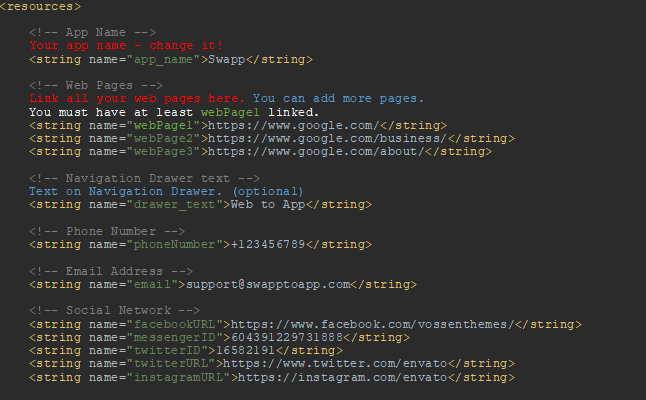
3. Open strings.xml in folder app > res > values. Change the following:
If you want to use offline pages, open offlinePage folder in app > assets.
Put your offline website in that folder, then link it like this (inside previously mentioned strings.xml):
